


SBI Missed Call Balance Check – Methods & Toll-Free Numbers
Customers can easily check their account balance using a number of handy methods provided by SBI. These include digital methods such as net banking, UPI, USSD, SMS banking, WhatsApp banking, the YONO mobile app, and missed call banking through the SBI balance check number. Customers can also check their account balance using conventional methods including ATMs and toll-free IVR lines.

Read about various ways to check your balance, mini statements, and access other banking services.
SBI Balance Enquiry – Quick Methods
The following methods can be used if you have an SBI bank account and would like to know how to quickly check your SBI balance:
- Missed Call Facility: 9223766666
- SMS Service: Text BAL to 9223766666
- ATM
- Online Banking
- Mobile Banking
- WhatsApp Banking from SBI
- SBI Passbook
- 1800 1234, 1800 2100, 1800 425 3800, and 080-26599990 are the toll-free numbers to call
- USSD UPI
SBI Balance Enquiry
How to Register for SBI Missed Call Banking
In order to avail the SBI Quick Missed Call Banking services, you will need to complete a one-time registration process. The process is simple and can be completed in a few minutes. The procedure to register SBI Missed Call Banking (SBI Quick) is mentioned below:
- You must first register your mobile number by sending the following SMS to access this service:
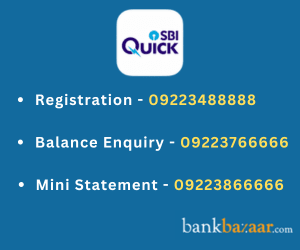
REG<space>Account Number to 09223488888
- Take REG 2349084781, for example. Following a successful registration, you will receive a confirmation message
- Following registration, you can use your registered mobile number to make a missed call to 09223766666
- An SMS showing the balance of your account will be sent to your phone
- To obtain your mini statement, use the SBI balance check missed call feature by calling 09223866666 from your registered mobile number.
Note: Check if the number the SMS was sent from has been updated at the bank. In case it is not updated at the bank, you can visit the bank branch and update the number.
Check Related More Info about SBI SMS Banking
How to Generate an SBI Mini Statement
Customers can easily generate an SBI Mini Statement after registering for the SBI Quick facility. The Mini Statement will provide the last 5 transaction details made in the account.
SBI customers can receive the Mini Statement by giving a missed call to 09223488888. The Mini Statement can also be received by sending an SMS to the same number. Format to Generate SBI Mini Statement: MSTMT to 09223866666
How to Check Balance through SMS Banking
The following are the steps to check SBI account balance through Quick SMS banking services:
Step 1: Register the mobile number for SMS banking service
Step 2: Type SMS in the format- REG (space) account number
Step 3: Send the SMS from registered mobile number to 09223766666
Step 4: Customers will receive a confirmation SMS, after which they can check the SBI account balance
SBI Missed Call Services
Service | SMS / Missed Call | Information |
ATM Card Blocking | BLOCK XXXX to 567676 (last 4 digits of card) | ATM card can be blocked. An SMS with the ticket number, date, and time of blocking will be sent. The card can also be blocked by calling the State Bank Contact Centre. |
ATM Card Usage Configuration | SWON/SWOFF/POS/ECOM/INTL/DOM XXXX to 09223588888 | ATM card usage can be controlled via SMS. The ticket number, date, and time will be sent in an SMS. It can also be managed through OnlineSBI. |
Loan Enquiry | HOME or CAR to 09223588888 | Customers can know about the latest Home Loan or Car Loan products. An SMS is sent with features, followed by a call from SBI. |
PM Social Security Schemes | Through the app | |
Deregistration | DREG to 09223488888 | Users can deregister from SBI Quick. |
Full List of Services | HELP to 09223588888 | A complete list of SBI Quick services can be availed. An SMS will be sent after successful or unsuccessful deregistration. |
SBI Balance Enquiry Charges
Services | Charges |
Six-digit number (567676) | Applicable premium charges |
Ten-digit | SMS Charges as per mobile plan of the customer |
Missed call service | No charges If customer listens to IVR for three seconds - charges as per customer's plan |
SBI Toll Free Number
The toll-free number for SBI balance check are mentioned below -
State Bank of India Balance Enquiry Toll-Free Number for Call | |
SBI Account Balance Details Number |
How to Check SBI Balance Online
How to Check SBI Balance through ATM
Customers with SBI accounts can access their account balance using their ATM or debit card. The following actions must be taken at the State Bank of India ATM:
Step 1: Insert your SBI ATM/Debit Card in the machine.
Step 2: Type in your 4-digit ATM pin.
Step 3: Next, choose the ‘Balance enquiry’ option.
Step 4: Your balance will be displayed on the screen.
How to Register for SBI Net Banking
Here are the ways to check SBI balance through net banking:
Step 1: Register for net banking
Step 2: Login into your net banking account using login ID and password
Step 3: Select ‘Balance Enquiry’ option
Step 4: Enter the account number and other details to check the balance
How to Check Balance Through Passbook
Here are some of the details regarding SBI passbook and related information about checking SBI account balance using passbook:
- When you open a bank account with an SBI, you will receive a passbook.
- You can use an ATM or go to the bank to update your passbook.
- On your passbook, you may see the current balance of your account.
- Additionally, it will keep track of all of your credit and debit transactions.
SBI Account Balance Check via WhatsApp Banking
You can send the following message on WhatsApp to check the balance of your SBI account:
- Say hi to 9022690226, SBI's WhatsApp number
- Select "Get Balance"
- You will receive a WhatsApp message with your account balance.
How to Check SBI Credit Card Balance
By sending an SMS in the following format to the number 5676791 will get a variety of information -
Service Information | Message Format |
Credit available and cash limit | AVAIL XXXX |
Balance enquiry | BAL XXXX |
Last payment status | PAYMENT XXXX |
BLOCK XXXX | |
Subscribing to e-statement | ESTMT XXXX |
Requesting for duplicate statement | DSTMT XXXX MM |
REWARD XXXX |
SBI Balance Check through Mobile Banking Apps
SBI users can check their balance through mobile banking. The details are mentioned below -
1. YONO SBI
- Create an account and use your MPIN to access the YONO SBI app.
- Your balance will appear on the screen after you click on Accounts
2. Yono Lite SBI
- Enter your net banking credentials to register and access the Yono Lite SBI app.
- Click the View Balance option after logging in.
- The screen will show your balance
3. BHIM SBI Pay
- Enter your PIN after registering and logging into the BHIM SBI Pay app.
- Click the View Balance option after logging in.
- The screen will show your balance.
SBI Balance Check through USSD
By following the instructions below, you can choose to use USSD for an SBI balance check:
- Enter the User ID and dial *595#
- From the Answer menu, choose Option 1
- Choose "Balance inquiry" or "Mini statement"
- Press Enter after entering the MPIN
- The screen will show the bank account balance.
How To Use USSD for SBI Balance Enquiry?
The table below discusses in brief how to use USSD for various purposes -
Service | USSD Code |
Balance enquiry and mini statement |
|
Prepaid mobile top-up |
|
Fund transfer |
|
De-register |
|
SBI Balance Check through UPI
To check the SBI account balance through UPI, follow the steps mentioned below:
Step 1: Launch any UPI app on your mobile device.
Step 2: Enter the code to log in.
Step 3: To view the balance of an account, click on it.
Step 4: Tap on the ‘check balance’ option.
Step 5: Enter the passcode to view the balance.
Significance of SBI Balance Check
You can get real-time information about your bank account transactions using the SBI balance check number. Additional advantages of SBI balance checks include:
- Aids in figuring out if you have enough cash on hand for transfers, checks, etc.
- Any fraudulent debits or improper credits can be monitored.
- You can ask questions about these bank entries and draw attention to the problem so that it can be fixed
- Aids in monitoring your spending patterns.
- When you make certain transactions, you might also see that certain fees or charges are being deducted from your account balance
- This aids in keeping an eye on the interest credited as well.
Popular Pages from Savings Account
GST of 18% is applicable on all banking products and services from July 1, 2017 onwards.
FAQs on SBI Missed Call Balance Check
1.What is the SBI Balance Enquiry Number?
To check your account balance through SBI's missed call banking service, simply give a missed call to 9223766666 from your registered mobile number.
2.How does SMS Banking work to check an account holder's SBI account balance?
To instantly check their SBI balance, account holders can SMS "BAL" to 09223766666 from their registered mobile number. Account holders can SMS "MSTMT" to 09223866666 for the SBI mini statement. Only the mobile phone registered with the bank may use the SBI balance check number SMS service.
3.Is there a USSD option for SBI Balance Enquiry?
Yes, USSD can also be used for SBI balance enquiry. Account holders can check the balance of their SBI accounts as well as fund transfers and mini statements.
4.Does SBI Quick support all kinds of bank accounts?
SBI Quick is only accessible for certain accounts. A savings account, current account, overdraft account, and cash credit account are all included in this. SBI balance check numbers vary depending on the product.
5.Can I use the toll-free service to find out how much money is in my SBI account with no balance?
Yes, you can check your account's balance by calling the SBI balance check toll-free number.
6.Will there be a notification from SBI Quick regarding several bank accounts in one branch?
No, SBI Quick only sends messages about the account that is linked to the service.
7.If I want to check the amount of my SBI account online, do I need to register first?
Yes, if you wish to check your SBI balance online, you must first register with the bank.
8.How is SBI Quick different from State Bank Anywhere and State Bank Freedom app?
SBI Quick cannot be used to facilitate a financial transaction because it is not a money transfer service. A login ID and password are not required to use SBI Quick. You just need an active registered mobile number.
9.Do I have to pay any fee to pay to check my SBI balance?
No, you can check your SBI account balance for free by calling the toll-free number.
10.Is there a limit on how many inquiries one can make in a day or a month?
No, there is no such limit currently.

Disclaimer
Credit Card:
Credit Score:
Personal Loan:
Home Loan:
Fixed Deposit:


Copyright © 2026 BankBazaar.com.